
SnapHouse
All-in-one real estate marketing software. Descriptions, PDF, Reels and social media publishing from a single app.
Request demoThe problem with current real estate marketing tools
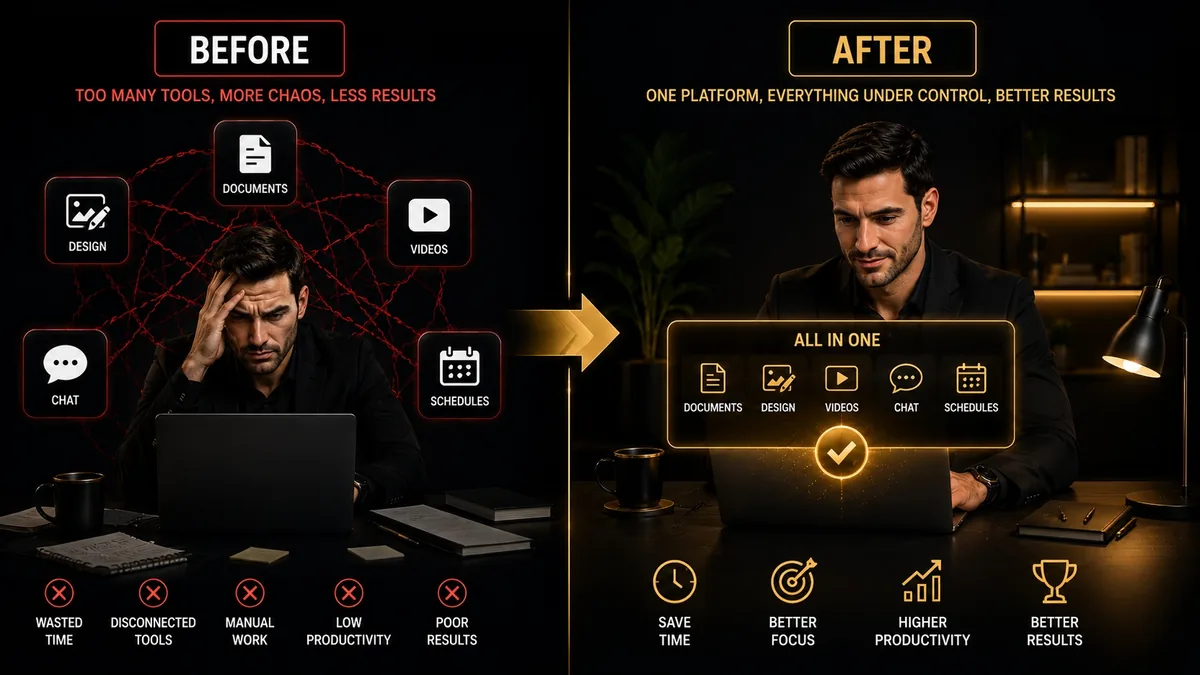
The average real estate agent today uses between 4 and 7 different tools to create and publish marketing content: a word processor for descriptions, Canva for images, CapCut for videos, a PDF app, Buffer or Meta for scheduling posts… all connected manually.
The result: a lot of time switching between apps, significant brand inconsistency, and a monthly cost that accumulates without anyone noticing.
Good real estate marketing software should solve this with a single real estate marketing tool for agents.
The 7 essential features
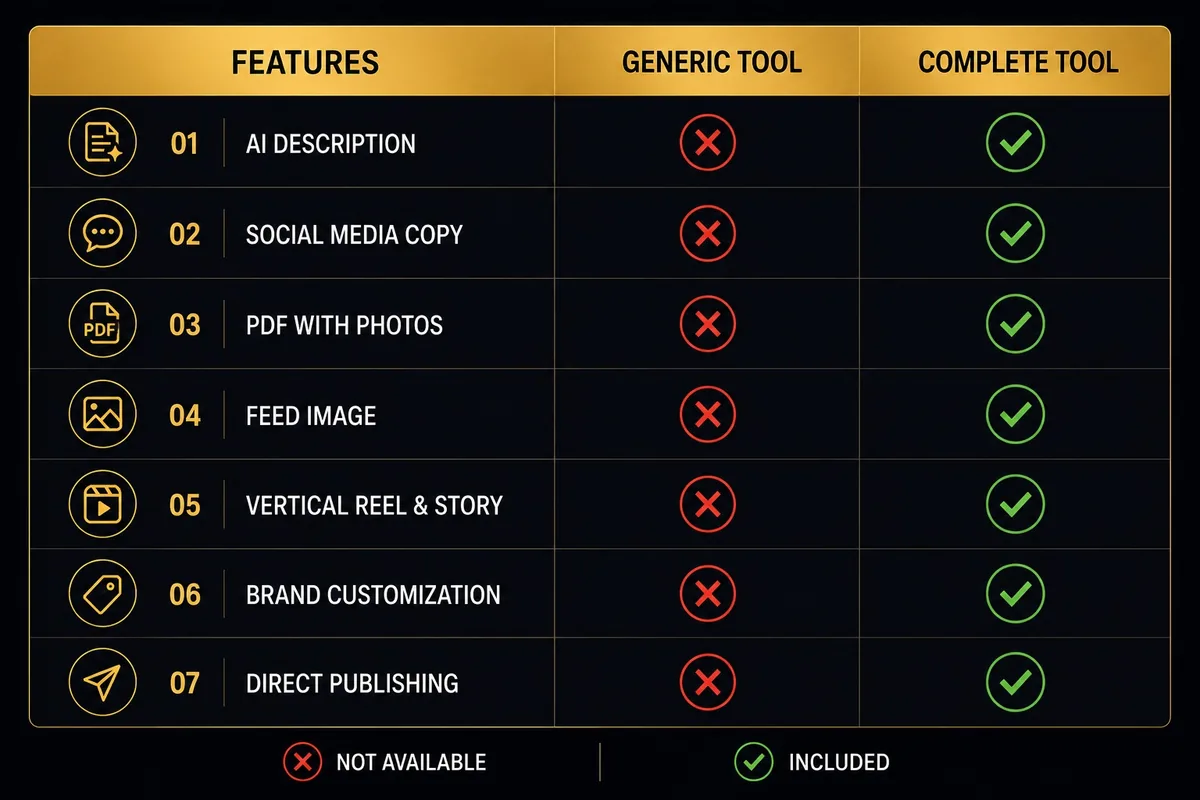
Before evaluating any option, verify it covers these 7 areas (see the real estate marketing AI guide 2026 for a full breakdown). If any is missing, you will need to supplement it with another tool:
- 1 AI description generation: Must produce text with real real-estate vocabulary, not generic translations. Customisable by property type, area, and audience.
- 2 Social media copy: Posts for Instagram and TikTok with emojis, localised hashtags and a hook in the first line.
- 3 Property listing PDF: Automatic generation with photos, technical data, floor plan and agent branding. Ready to send via WhatsApp.
- 4 Visual content: feed image and carousel: Static post 1080×1350px and carousel up to 10 slides with consistent branding.
- 5 Reel and Story: Vertical video 1080×1920px with transitions, music and property data overlaid.
- 6 Brand customisation: Your own logo, corporate colours and typography on all generated content.
- 7 Direct publishing or export: One-click publishing to Instagram, TikTok and Facebook, or download to upload manually.
Comparison by tool type
The market is divided into four categories of tools. This table shows what each one covers and how much it costs per month:
| Tool type | AI description | Listing PDF | Visual (feed/reel) | Publishing | Approx. cost |
|---|---|---|---|---|---|
| Real estate CRM (Inmovilla, Witei) | Basic | ✓ | ✗ | Portals | €50-150/mo |
| Graphic editor (Canva Pro) | ✗ | Manual template | Partial | Scheduler | €13/mo |
| ChatGPT / Claude | Very good | ✗ | ✗ | ✗ | €20/mo |
| Video editor (CapCut) | ✗ | ✗ | Video only | Manual | €0-13/mo |
| SnapHouse | Specialised | ✓ Auto | ✓ Complete | 1 click | ~€15/mo |
Local vs. cloud: a key factor for real estate agents
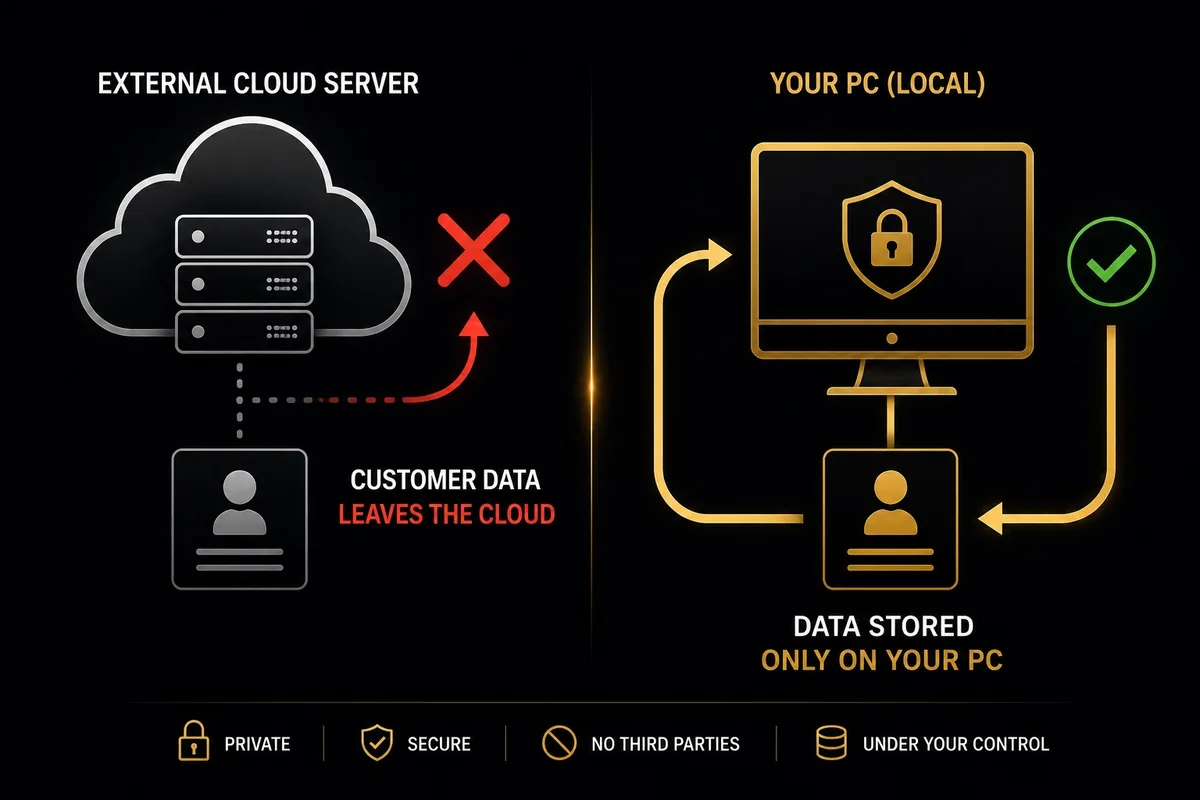
Most real estate marketing tools operate in the cloud. That means your clients' and properties' data travels to external servers. For many agents, especially those working with luxury properties or privacy-conscious clients, this is a real concern.
Local tools (running on your own computer) offer an advantage: your data never leaves your machine. Content is generated locally, without sending photos or property data to third parties.
SnapHouse operates locally: it installs as a Windows application and generates all content on your PC. The only external connections are calls to the AI API (optional) and posting to social networks (also optional).
The 5 questions to ask before buying
- Does it generate native-language content or translate from another language?
- How long does it take from uploading photos to having content ready?
- Can I customise with my brand (logo, colours, typography)?
- Where is my data stored: and my clients' data?
- What is the total cost including subscriptions to external APIs?
SnapHouse answers yes to all 5 questions. Request a demo and verify it on your own computer.
Conclusion: one tool, not an ecosystem
The most common mistake is building an ecosystem of partial tools instead of looking for an integrated solution. Every extra app is a monthly cost, a learning curve and a friction point in your workflow.
Complete real estate marketing software in 2026 must cover the entire cycle: property data → description → visual content → publishing. Understanding how AI for real estate agencies fits into each step is key, if any step is missing, it is not a complete solution.
Want to see how SnapHouse works?
A single tool for descriptions, PDF, Reels, Stories and social media publishing. Runs on your PC, no mandatory subscriptions.
Request a free demoKeep reading: Real estate AI without uploading your clients' data to the cloud.
Frequently asked questions
Which features are essential in real estate marketing software?
Description and caption generation, a branded PDF sheet, social pieces in the right formats and, if you publish a lot, scheduling. The rest tends to be secondary.
Marketing software or a CRM?
They solve different problems. A CRM manages contacts and follow-up; marketing software produces each property's material. Many agents need both but start with whichever costs them more hours.
One-off purchase or subscription?
With low volume and long use, a one-off licence works out cheaper from the first or second year. A subscription makes sense if you need constant updates or will only use it for a few months.
What if my data is sensitive?
Check where it is processed. Software that runs on your own computer does not upload client information to any server, which is a meaningful difference from cloud tools.


